
← Home

How to create and upload a disavow txt file

By
How to create and upload a disavow txt file
Summary

You compile a list of these unwanted links or domains in a text file, then upload it via the Google Disavow Links Tool. This helps protect your site from penalties and improves SEO by dissociating with low-quality backlinks. Use this tool carefully, mainly if you face manual penalties or have many suspicious links, as improper use can harm your SEO. The process can take several weeks to take effect


Creating a disavow file is a great way to remove unnecessary links that you think can harm your site or can attract a google penalty to your website. You can easily create this file and upload to the Google disavow tool.

How to disavow

  1. Go to muthaliganesh’s disavow file generator.
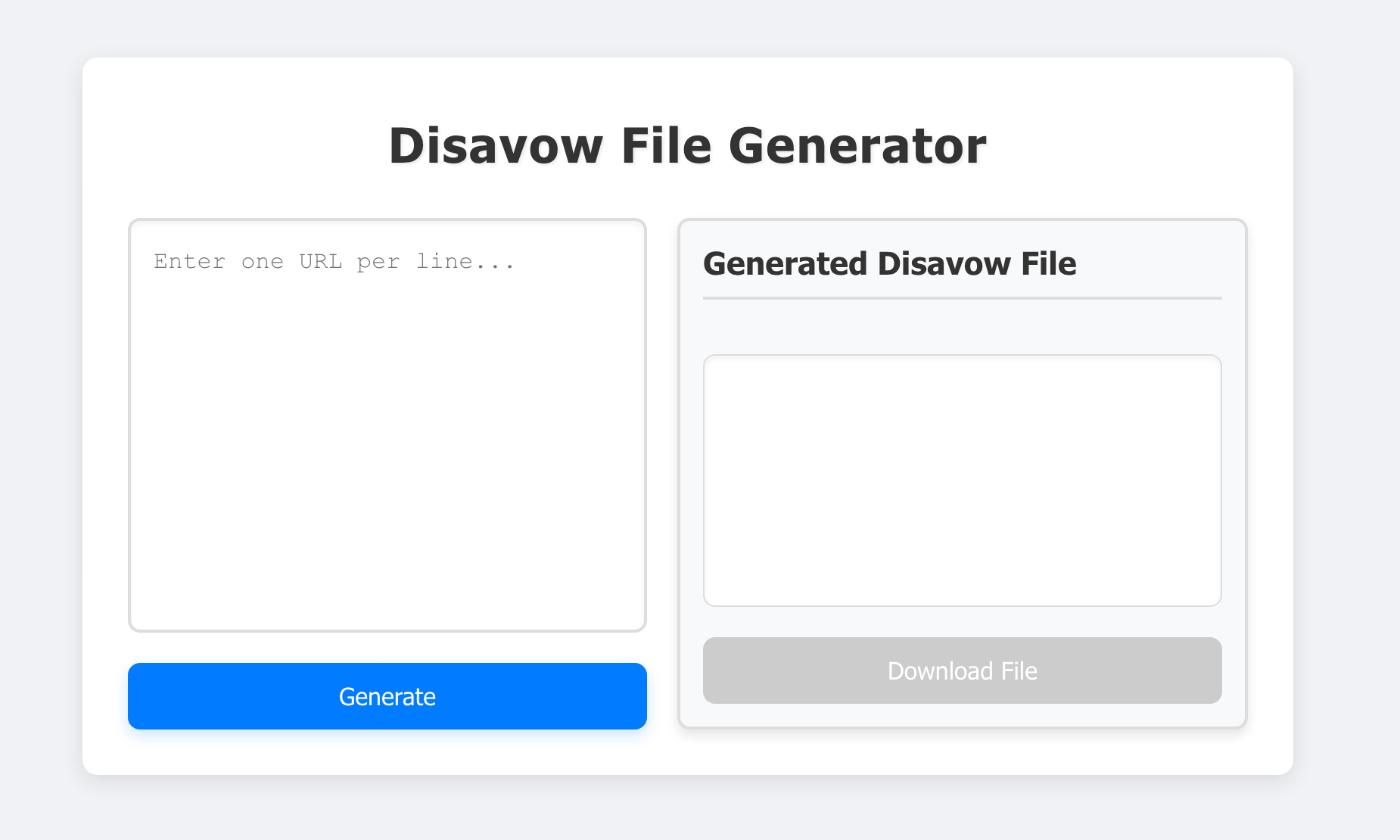
  2. Enter the domains you want to disavow one line by line.
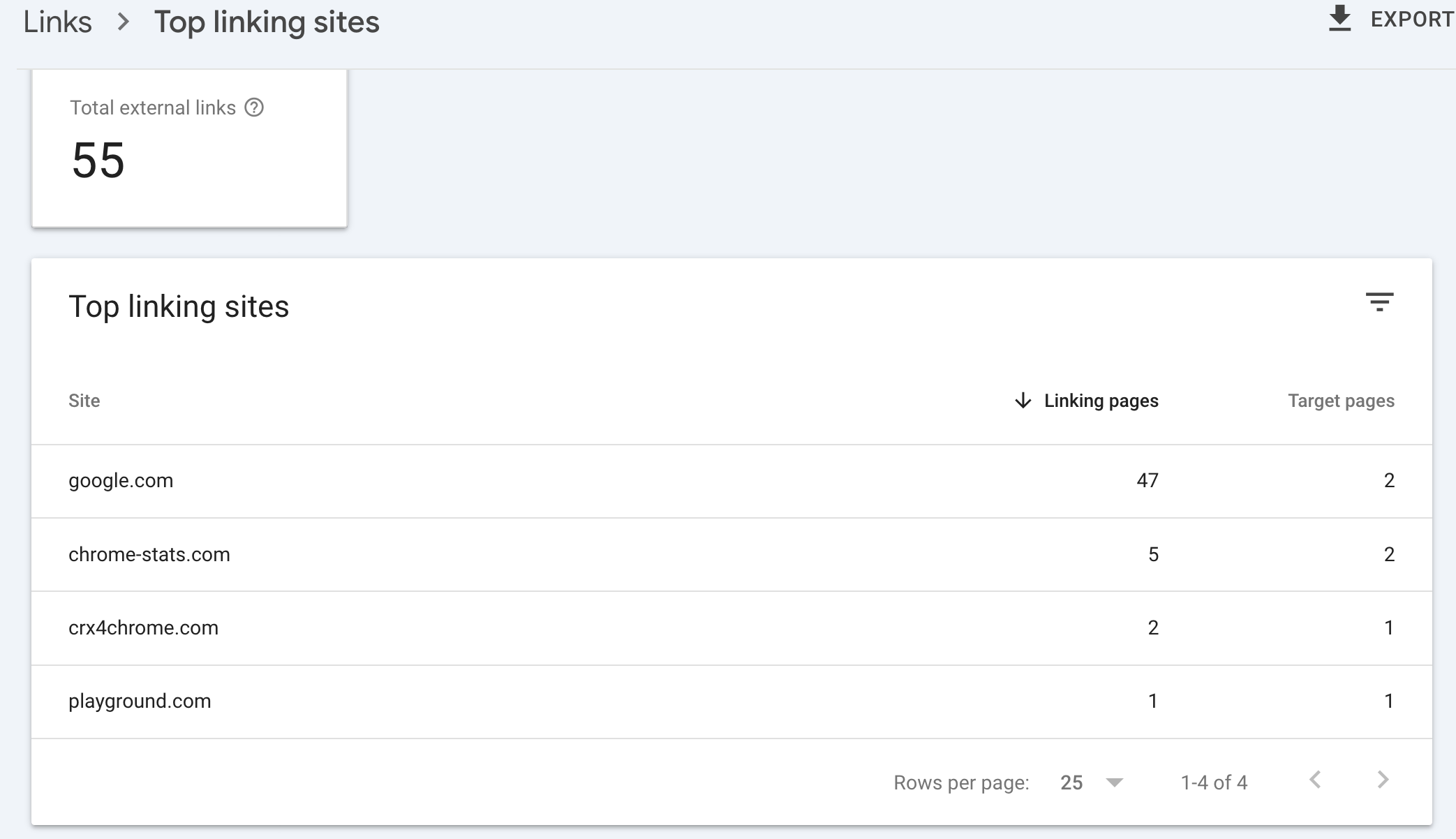
  3. If you want a list of domains linking to you, you can get this from your search console.
  4. Click on download and download the txt file.
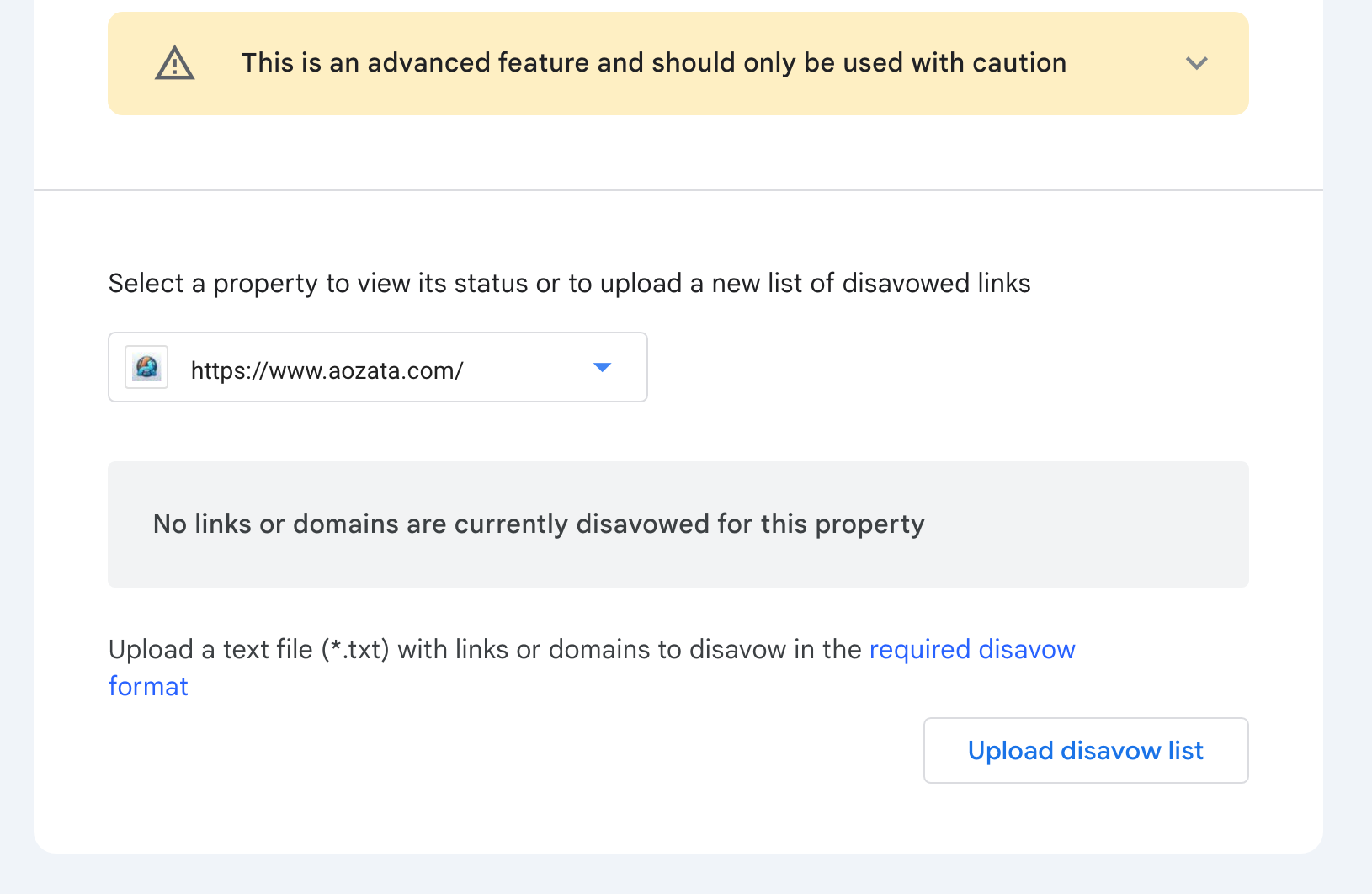
  5. Go to google disavow tool and upload the file.
muthali