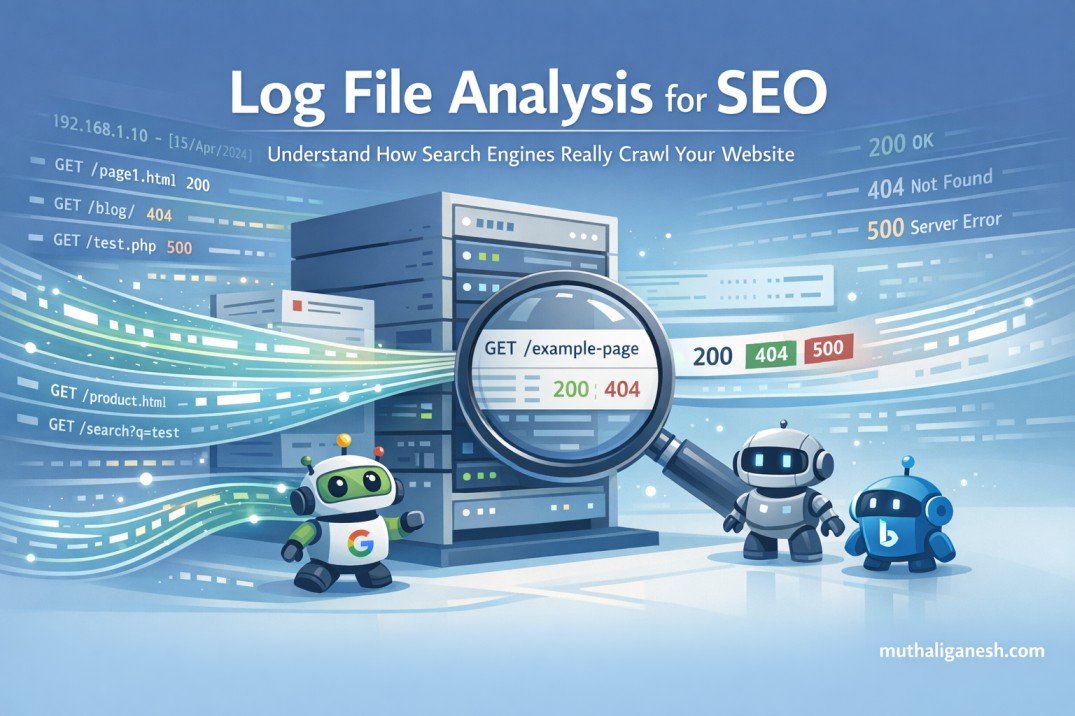
If you have ever wondered about some of your pages being missing in the Google search results or why the search engines are crawling so much of your site that is irrelevant or unimportant, Also, how do you figure out what Googlebot is actually doing on your website?
These questions will generally be answered by referring to an analysis of log files.
Log files may seem technical in nature, but the analysis and understanding of log files are quite straightforward; this article will make it easy for everyone to understand log file analysis, why it is relevant, and how it can help improve an overall SEO strategy.
What Are Log Files? (In Basic Terms)
When a person or bot visits your website’s server, that action gets recorded in a log file.
When a person visits your site, this most typically means:
– A web browser
– Googlebot (the Google search engine’s crawler)
– Bingbot (the Bing search engine’s crawler)
– AI Bots (like ChatGPT) for content scraping
Each of these visits and many others are saved as individual log entries.
An individual log entry will typically include the following:
– The specific webpage requested
– The date and time when the individual log entry was created
– The requestor’s identification – web browser or search engine bot
– The status of the requested webpage – Successful (200), Invalid – Not Found (404) or Server Error (500 may vary)
Imagine log files as a daily diary of activity for your website.
What exactly is log file analysis?
Searching through log files will provide an account of how search engines work with your web page.
No more assumptions, such as:
- “Perhaps this is the page Google has crawled”
- “I think that the crawlers will be able to find my content”
- Log files provide you with actual proof of what has occurred.
- Log files are an accurate list of what search engines do on your site, instead of providing an assumption.
Why SEO Experts Use Log File Analysis
SEO tools provide users with the ability to simulate how search engines will crawl a website. The information that a log file provides on how a search engine crawls a specific URL includes:
- What URLs were actually crawled by a search engine
- Which URLs did not get crawled
- What URLs resulted in a 404 or 500 error
- Where search engines wasted their time crawling your site
This is why SEO experts consider using log file analysis to obtain the highest level of accuracy when it comes to making decisions for technical SEO.
What Is the Beginner’s Perspective of Log Files?
Are search engines visiting your most important pages?
You may have pages including:
- Homepage
- Service Pages
- Blog Posts that you think have value
- Using the log file, you can ascertain if you have been getting regularly crawled by Googlebot or if you are not being crawled compared to other pages you believe have the same level of value.
Are Crawlers Spending Time On Your Non-Productive URLs?
Sometimes, crawlers are crawling:
- Filter URLs
- Search results pages
- URLs that are no longer valid
- Duplicate URLs
- These are wasting your crawlers’ budget because crawlers are limited in the amount of time they are able to spend crawling the entire website.
Are there links with a hidden error?
The following errors may not be obvious to you using other SEO tools, but the log file will:
- 404 (not found) errors
- 500 Server Errors
- Redirect Chains
Many of these issues do not show up clearly in normal SEO tools.
Unrecognised or Forgotten pages (orphan pages)?
Without Internal Links
Because they are not linked from other places in your site (e.g. from a category page).
Not accessible via the Navigation Bar
These are typically pages not linked from within your site through navigation items.
Are Indexed by Search Engines & Crawled by Bots
You can see the URL for this page if you access it using the crawl logs.
Crawl Budget Waste is a Common Situation for New Users & Here’s How to Prevent It:
When it comes down to it, the search engines do not have unlimited crawl budgets. When a crawl budget is wasted, other pages of your site may be crawled less often or not indexed correctly.
Below are some typical beginner crawl budget waste scenarios with recommendations to remedy them:
Too Many URL Parameters
- URL Parameters:
- /products?color=red
- /products?color=blue
- /products?sort=price
Problem:
Search engines treat each of the above URLs differently. Each time the search engines find and crawl that URL, the same page will be found.
How to Fix the Problem:
- Implement Canonical Tags to Keep the Same URL Across Different Parameters
- Do Not Link Directly to URL Parameter URLs from Your Site
- Deny Robots.txt Access to URL Parameter URLs
Crawled Filter, Search Results, Category Filter, and Tag Archive Pages
How to Fix the Problem:
- Most of the time, these pages do not provide SEO Value and will be crawled repeatedly.
- Recommendations to Stop Search Engine Robots from Crawling Pages of Little Value
- Use Noindex on Filter URLs Associated with Low Value.
- Restrict Internal Search URLs from being Crawled by Robots.txt
- Limit Crawlable URLs Associate with Categories, Filters, Tags, Archives
Keep Category and Filter URLs Clean with Links to Main Categories and Filters.
Redirect Chains and Loops
An example would be Page A → Page B → Page C
Redirect Chain and Loop Problems:
Redirects waste crawl time and slow down bots.
Solution(s) to Redirect Chains and Loops:
- Update internal links so they go to the final page directly
- Remove unnecessary redirects
- Keep YOUR redirects on your site cleaned up after site migrations and site redesigns.
Broken Pages (404 Errors)
How Broken Pages Are a Problem:
Search engines will attempt to crawl the same broken URLs indefinitely.
Solutions to Broken Pages:
- Redirect the most important old URLs to a suitable relevant page
- Remove the internal links to the broken URL
- Leave truly useless pages as a 404 Error page (sometimes this is okay)
Duplicate Content Pages
- Example(s): HTTP vs HTTPS
- www vs non-www
- Same content but each of the URLs is different
The Problem with Duplicate Content Pages:
Bots are repeatedly crawling the same piece of content (duplicate).
Solution(s) to Duplicate Content Pages:
- Choose just one version as preferred
- Use canonical tags
- Redirect the duplicates back to the main URL
Orphan Pages
Definition of Orphan Pages:
Pages without internal links pointing to them.
Why Orphan Pages Are a Problem:
Search engines cannot determine the importance of Orphan Pages.
Solution(s) to Orphan Pages:
- Add internal links from relevant pages to the orphan page(s)
- Include important orphan pages in the main navigation of your website and/or in your sitemap
- Remove any orphan pages that no longer have any purpose or benefit.
Low value or Old Content:
Examples include:
– Expired Landing Pages
– Outdated Articles
– Thin Blog Posts
Issue:
Search engines continue to crawl content that is no longer relevant.
Solutions:
– Update useful material
– Combine multiple weak pages into one strong page
– Use the noindex tag on content that will have no long-term value (or delete the content)
Log file analysis versus Google Search Console:
- Google Search Console provides aggregated reporting, but log file analysis provides raw data on:
- Every request made
- Every bot visiting the site
- Every page accessed
- Details for each request
- Google Search Console provides a summary of traffic, whereas log file analysis shows your actual traffic.
- AI bots are also now crawling websites to learn from the content found on those sites.
Log file analysis will indicate:
- If & when an AI bot visited your website, what pages it accessed, & how often it returns to visit.
- SEO is more than just rankings in Google, it is also about visibility in AI-powered answers.
- Log file analysis is not just for larger sites; smaller and medium sized sites will also benefit,
because:
- Issues can be resolved sooner
- Crawl-patterns will be known
- SEO problems can be eliminated before traffic loss occurs
You don’t need to review log files on a daily basis; monthly reviews will be sufficient. When to use log file analysis
Log file analysis is useful if…
- Pages are not currently indexed in the search engine result pages (SERPs)
- There is no obvious cause for traffic reductions
- Log file analysis would be useful for pages that have gone through a redesign or migration period
- There is a need to track many entries of content
- There are websites that contain a lot of different types or formats of content.
Conclusion
Log file analysis solves a very important question at the centre of SEO: What actions do search engines really take on my site? Once this question is answered, SEO becomes easy to understand and is far more strategic than it is random or confusing, especially for newer users. You don’t need to learn everything about log file analysis at once – begin with the more straightforward analyses, remove any wasted crawl space, and advance from there.